Choosing the right MIDI interface can make a big difference in how smoothly your studio or live setup runs. From simple USB connections to multi-port routing and Bluetooth options, the best picks balance reliability, compatibility, and value.
Below, we’ve narrowed down 10 strong options for different workflows, so you can compare features quickly and find the one that fits your gear and budget.
Best 10 Midi Interfaces Under 300 Picks for 2026
Best for compact MIDI routing
CME U6MIDI Pro 3-in-3-out MIDI Interface

- USB-C plug-and-play across major operating systems
- Standalone 3-in-3-out routing, split, merge, and filtering
- Low-latency support for notes, clock, sysex, and MPE
Best For: Users who want compact, highly configurable MIDI routing
Best for audio plus MIDI

- 2-in/4-out USB audio interface with MIDI I/O
- Two MIDAS preamps and phantom power support
- 24-bit/192kHz conversion for recording and playback
Best For: Home studios needing audio inputs and MIDI in one box
Best for multi-device setups
ESI M4U eX 8-Port USB 3.0 MIDI Interface

- Eight MIDI ports with automatic input/output configuration
- Built-in USB 3.0 hub with three extra connectors
- Class-compliant on Windows and macOS with standalone routing
Best For: Studio or live users managing several MIDI devices
Best for portable recording
PreSonus AudioBox 96 25th Anniversary USB Audio Interface

- Bus-powered 2-channel interface with MIDI I/O
- Two Class-A mic preamps and two instrument inputs
- Includes Studio One Artist and Ableton Live Lite
Best For: Mobile musicians who need recording and MIDI support
Wireless MIDI Pick
CME WIDI Uhost Premium Bluetooth MIDI Interface

- Adds Bluetooth MIDI to class-compliant gear
- 3 ms latency and sub-1 ms jitter claims
- Supports SysEx, MPE, and multi-device groups
Best For: Wireless control setups and cable-free MIDI rigs
Budget Audio Interface
M-AUDIO M-Track Duo USB Audio Interface

- Two combo inputs for mics, instruments, and line sources
- Zero-latency monitoring with USB/direct switch
- Includes MPC Beats software
Best For: Entry-level recording, streaming, and podcasting
Hybrid MIDI Router
CME H2MIDI Pro Compact USB Host MIDI Interface

- Standalone USB host for class-compliant MIDI gear
- 5-pin DIN plus USB-C client virtual ports
- Routing, filtering, mapping, and splitting tools
Best For: Hybrid rigs needing flexible MIDI routing and USB hosting
Studio-Ready 4x4 I/O
Behringer U-PHORIA UMC404HD 4x4 MIDI/audio interface

- 4x4 USB audio with 1x MIDI I/O
- 24-bit/192 kHz recording support
- 4 MIDAS-designed mic preamps
Best For: home studios needing flexible audio and MIDI in one box
Compact MIDI Host
Behringer GO MIDI HOST compact USB MIDI host
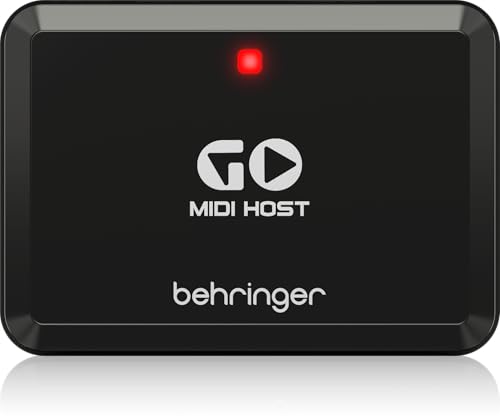
- Compact MIDI/USB host interface
- Plug-and-play connectivity
- Built for keyboard use
Best For: keyboard users needing a simple USB MIDI host
Compact Creative Interface
Arturia MiniFuse 1 compact USB audio and MIDI interface

- 5-pin MIDI in and out
- Includes loopback and USB hub
- Bundled software for beginners
Best For: beginners and creators wanting a compact all-in-one setup
Best for compact MIDI routing – CME U6MIDI Pro 3-in-3-out MIDI Interface
If you want one of the most flexible midi interfaces under 300, the CME U6MIDI Pro is built for clean USB and DIN integration with very little setup. It works as a plug-and-play USB-C MIDI interface on major operating systems and also functions as a standalone 3-in-3-out router with filtering and merge tools.
Best For: Producers, performers, and hardware users who need compact routing, filtering, and broad device compatibility.
Pros:
- Plug-and-play over a single USB-C port with support for macOS, iOS, Windows, Android, Linux, and Chrome OS.
- Standalone 3-in-3-out operation with MIDI routing, split/thru, merge, and message filtering.
- Supports notes, controllers, clock, sysex, MIDI timecode, and MPE with very low latency.
- Includes UxMIDI Tools for advanced routing and mapping setup.
Cons:
- Focused on MIDI only, so it does not add audio inputs or outputs.
- Advanced configuration may be more than casual users need.
- Requires software tools if you want to customize routing and filters in depth.
This is a strong pick if your priority is precise MIDI handling rather than extra recording features. The compact design and broad compatibility make it especially useful for modern desktop and mobile setups.
Best for audio plus MIDI – Behringer U-Phoria UMC204HD
For buyers comparing midi interfaces under 300 that also need basic recording features, the Behringer U-Phoria UMC204HD is a practical 2-in/4-out USB audio interface with MIDI I/O. It pairs two MIDAS preamps with 24-bit/192kHz conversion, making it a sensible all-in-one option for small studios.
Best For: Home recordists who want MIDI connectivity plus a simple 2-channel audio interface.
Pros:
- Includes MIDI I/O alongside 2-in/4-out USB audio connectivity.
- Two MIDAS preamps support mic recording, and phantom power is available.
- 24-bit/192kHz conversion offers higher-resolution audio capture and playback.
- Compatible with major DAWs like Pro Tools, Ableton Live, and Cubase.
Cons:
- Primarily a Windows-oriented interface based on the supplied details.
- Only two input channels, so it is not built for larger recording sessions.
- MIDI support is included, but it is not a dedicated MIDI-only interface.
If you need one device for both audio recording and MIDI connections, this model keeps the setup simple. It makes the most sense when you want a compact interface that covers a few core studio tasks without going over budget.
Best for multi-device setups – ESI M4U eX 8-Port USB 3.0 MIDI Interface
If your setup needs more ports than a basic box can provide, the ESI M4U eX stands out among midi interfaces under 300 for its 8-port USB 3.0 design and built-in USB hub. It is class-compliant for plug-and-play use on PC and Mac, while also offering standalone routing and merging for more complex rigs.
Best For: Multi-device studios and live setups that need lots of MIDI connections and hub convenience.
Pros:
- Eight adaptable MIDI ports with automatic input/output configuration.
- Built-in USB 3.0 hub adds three connectors for extra devices.
- Class-compliant plug-and-play operation on Windows and macOS.
- Standalone operation supports low-latency MIDI routing and merging.
Cons:
- More ports and hub features may be unnecessary for simple keyboard-only setups.
- Windows users may want the optional driver for more advanced multi-client use.
- Larger desktop footprint than compact 2- or 3-port interfaces.
This is a strong choice when you need to centralize several MIDI devices in one place. The extra hub functionality makes it more than just an interface, which is useful if your workspace has multiple controllers or peripherals.
Best for portable recording – PreSonus AudioBox 96 25th Anniversary USB Audio Interface
The PreSonus AudioBox 96 is a good fit if you want midi interfaces under 300 that also cover portable recording needs. It gives you two mic/instrument inputs, MIDI I/O, bus power over USB, and 24-bit/96kHz audio in a compact desktop unit.
Best For: Singer-songwriters and mobile producers who want a bus-powered interface with MIDI support.
Pros:
- Includes MIDI I/O alongside two Class-A mic preamps and two instrument inputs.
- USB bus power makes it easy to use without an extra power supply.
- 24-bit/96kHz recording and playback is available for portable sessions.
- Comes with a software bundle including Studio One Artist and Ableton Live Lite.
Cons:
- Only two channels, so it is not ideal for bigger tracking sessions.
- Maximum sample rate is lower than some competing interfaces in this price range.
- It is more of an audio interface with MIDI than a dedicated MIDI router.
This model makes sense when you want one small interface to handle vocals, instruments, and a MIDI keyboard. The bundled software and bus-powered design add value for users who travel or record in tight spaces.
Wireless MIDI Pick – CME WIDI Uhost Premium Bluetooth MIDI Interface
If you want one of the most flexible midi interfaces under 300 for cutting cable clutter, the CME WIDI Uhost is built around Bluetooth MIDI and USB hosting. It can add wireless MIDI to class-compliant controllers and computers, while also supporting manual pairing with iOS, macOS, Windows 10/11, and Android through step-by-step guides. The emphasis here is on low-latency, stable wireless control rather than traditional audio work.
Best For: Players and producers who want to make USB MIDI gear wireless and reduce studio cable clutter.
Pros:
- Bluetooth MIDI support with automatic pairing between WIDI devices and compatible BLE MIDI controllers
- Very low reported latency and sub-1 ms jitter for tight timing
- Supports SysEx and MPE, plus Bluetooth MIDI groups with up to 5 devices
- USB-C host and client connections for class-compliant MIDI setups
Cons:
- General Bluetooth pairing does not work for Bluetooth MIDI
- Some Windows setups require the Korg BLE MIDI driver or bridge apps
- Users need to follow the exact pairing instructions and update firmware first
This is a strong pick if your priority is wireless MIDI performance and flexible device pairing. It is less of a conventional interface and more of a Bluetooth-focused MIDI bridge, so the setup process matters.
Budget Audio Interface – M-AUDIO M-Track Duo USB Audio Interface
For buyers comparing midi interfaces under 300 who also need basic recording and streaming features, the M-AUDIO M-Track Duo is a practical USB audio interface. It is built for Mac or PC use and offers two combo XLR/line/instrument inputs, zero-latency direct monitoring, and 48 kHz recording. While it is not a MIDI interface, it fits roundup shoppers looking for an affordable compact interface for audio capture.
Best For: Home studios, podcasters, and streamers who need a simple two-input USB audio interface.
Pros:
- Two combo XLR/line/instrument inputs for flexible recording
- USB/direct monitoring switch for zero-latency monitoring
- Crystal preamps and 48 kHz audio resolution
- Includes MPC Beats software for production starters
Cons:
- Not a MIDI interface
- Limited to 2 channels
- Basic feature set compared with more specialized studio gear
If you need audio input for vocals, guitar, or podcasting, this is an easy-to-use budget option. If your main goal is MIDI routing, though, another product in this roundup is the better match.
Hybrid MIDI Router – CME H2MIDI Pro Compact USB Host MIDI Interface
The CME H2MIDI Pro is a compact choice for midi interfaces under 300 if you need to connect modern USB MIDI devices to 5-pin DIN hardware without a computer. It also works as a USB-C client interface with 2-in-2-out virtual MIDI ports, so it can fit both standalone and hybrid setups. Its routing tools make it especially useful when your MIDI chain needs filtering, mapping, or splitting.
Best For: Hybrid MIDI rigs that combine USB controllers, DIN hardware, and custom routing.
Pros:
- Standalone USB host mode for class-compliant MIDI devices
- 5-pin DIN MIDI I/O plus USB-C client connectivity
- Routing, filtering, mapping, and splitting via HxMIDI Tools
- Supports up to 8 USB MIDI device ports with a hub
Cons:
- Only 1-in/1-out on the DIN side
- Advanced setup may require HxMIDI Tools configuration
- Best suited to MIDI hardware users, not audio recording needs
This is the most versatile routing-focused option here if you need both old and new MIDI gear to work together. It trades simplicity for deeper control, which is ideal for more complex setups.
Studio-Ready 4×4 I/O – Behringer U-PHORIA UMC404HD 4×4 MIDI/audio interface
If you want midi interfaces under 300 that also handle serious audio recording, the Behringer U-PHORIA UMC404HD is a strong all-around pick. It gives you 4×4 USB audio, a MIDI I/O, and 24-bit/192 kHz recording in a rugged metal chassis, making it a practical choice for small studios that need flexible connectivity.
Best For: Home studio users who need multi-input recording plus MIDI in one interface.
Pros:
- 4×4 USB 2.0 audio interface with 1x MIDI I/O
- 24-bit/192 kHz resolution for high-quality recording
- 4 MIDAS-designed mic preamps with +48 V phantom power
- Metal chassis built for durability
Cons:
- Bulkier than compact one-input interfaces
- Focused on core recording features rather than extra software bundles
The UMC404HD stands out if you need more than a basic MIDI connection. Its mix of audio channels, MIDI support, and sturdy construction makes it a dependable budget-friendly option for recording setups that need room to grow.
Compact MIDI Host – Behringer GO MIDI HOST compact USB MIDI host
Behringer GO MIDI HOST Compact MIDI/USB Host Interface for Plug-and-Play Connectivity
Check Price On AmazonFor buyers comparing midi interfaces under 300, the Behringer GO MIDI HOST is the simplest plug-and-play option here. It is a compact MIDI/USB host interface designed for keyboard connectivity, so it makes sense when you need a small, direct way to link USB MIDI gear without extra complexity.
Best For: Keyboard players who need a compact USB-to-MIDI host connection.
Pros:
- Compact MIDI/USB host design
- Plug-and-play connectivity
- Made for keyboard compatibility
Cons:
- Single-channel device with limited scope
- Lacks the audio recording features of a full interface
- No extra software or studio I/O features listed
This is the most specialized pick in the group. If your main goal is connecting a keyboard or similar USB MIDI device through a straightforward host interface, the GO MIDI HOST keeps the setup small and focused.
Compact Creative Interface – Arturia MiniFuse 1 compact USB audio and MIDI interface
The Arturia MiniFuse 1 is a compact choice for midi interfaces under 300 when you want audio recording, MIDI connections, and an easy starter workflow in one unit. It supports voice, guitar, synths, and other instruments, while adding a USB hub, loopback, and a software bundle that helps new users get started quickly.
Best For: Beginners and creators who want a small interface with MIDI and bundled software.
Pros:
- 5-pin MIDI input and output included
- 1 combo input plus 2 instrument/line inputs
- Loopback feature and built-in USB type A hub
- Includes Ableton Live Lite and other creative software
Cons:
- Only one main input channel for the combo mic/inst/line jack
- Less expandable than larger multi-input interfaces
MiniFuse 1 is a well-rounded pick if you value flexibility and beginner-friendly extras over raw channel count. The five-year warranty and broad software package add extra appeal for anyone building a compact music setup.
How We Picked the Best Midi Interfaces Under 300
We focused on interfaces that offer solid build quality, stable connectivity, and useful features for real-world musicians and producers. Priority went to models with dependable driver support, class-compliant operation where possible, multiple MIDI ports for expanding setups, and practical extras such as USB host support or audio inputs when they add value. We also considered how well each model fits common use cases, from compact desktop rigs to larger studios and hybrid hardware setups.
Quick Comparison: What Matters Most
Not every interface is built for the same job. Some of the best Midi Interfaces Under 300 are straightforward USB-to-MIDI bridges, while others combine MIDI with audio I/O, standalone operation, or wireless connectivity. If you mainly need one synth or keyboard connected to a computer, a compact two-port solution may be enough. If you’re routing multiple instruments, look for more ports and better standalone flexibility.
Key Buying Factors for MIDI Interfaces Under $300
Port Count and Routing
Check how many inputs and outputs you actually need. A 1-in/1-out interface works for a basic controller or sound module, but multi-port models are better for chaining several instruments without excessive cabling or MIDI merge complications.
USB, USB Host, and Bluetooth Support
Standard USB MIDI is the most common option, but USB host functionality is useful for connecting gear directly without a computer. Bluetooth MIDI can be a smart choice for mobile rigs or cable-free control, as long as latency and compatibility meet your needs.
Compatibility and Standalone Use
Class-compliant interfaces are easier to use across Mac, Windows, and often iPad setups. Standalone operation is especially important if you want the interface to work on stage or in a hardware-only studio without relying on a DAW.
Audio Features Vs. MIDI-Only Design
Some products in this category are full audio interfaces with MIDI I/O, which can be a better value if you also record microphones, guitars, or line sources. If your focus is only MIDI, a dedicated interface may be simpler and more efficient.
Who Should Buy Which Midi Interfaces Under 300?
Choose a compact MIDI-only interface if you want a clean, dependable link between a computer and one or two instruments. Pick a multi-port or host-capable model if you manage several synths, drum machines, or external controllers. If you need recording inputs too, an audio interface with MIDI can stretch your budget further. For wireless control or portable setups, a Bluetooth or host-focused solution may be the most practical fit among Midi Interfaces Under 300.