Choosing the right SDI capture card for a broadcast studio comes down to signal reliability, host connection type, and workflow compatibility. The best options balance clean capture, low latency, and dependable driver support.
Below, we focus on cards that fit real production needs, from compact USB models to higher-end PCIe solutions for more demanding studio setups.
Best 10 Sdi Capture Card for Broadcast Studio Picks for 2026
USB Studio Capture
Magewell USB Capture SDI Gen 2

- Captures SDI up to 1080p60
- On-device processing reduces CPU load
- USB 3.1 works across major OSes
Best For: Portable studio and field capture with simple USB setup
Internal PCIe Recorder
Blackmagic DeckLink Mini Recorder 4K
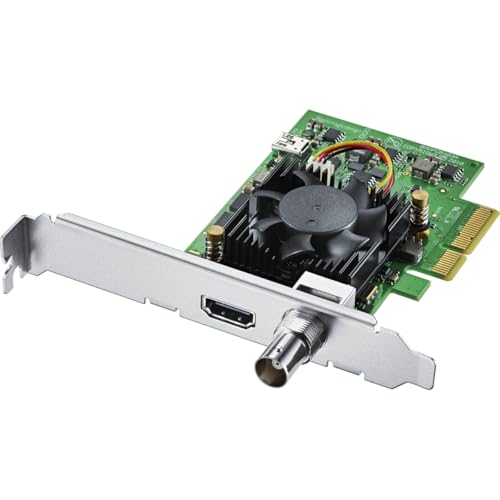
- 10-bit SDI capture with SD, HD, and Ultra HD support
- Adds HDMI 2.0a input for hybrid workflows
- Low-profile PCIe card for installed systems
Best For: Fixed broadcast or editing rigs with PCIe expansion
Loop-Through USB Capture
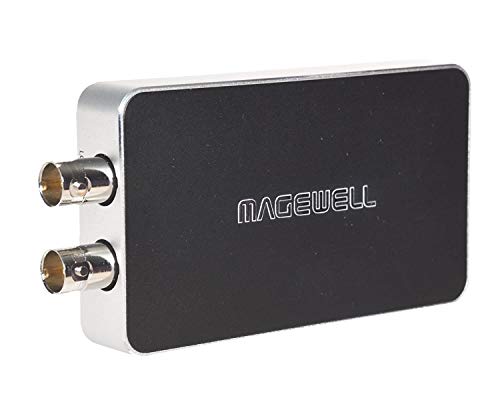
- Captures SD/HD/3G/2K SDI up to 120 fps
- Loop-through output supports live monitoring
- Includes embedded and analog audio options
Best For: Live studio capture when monitoring and audio routing matter
Broadcast PCIe Card

- Capture and playback on one PCIe card
- Supports SD, HD, 3G, and 6G-SDI
- Includes RS-422, keying, and reference input
Best For: Professional studios needing SDI workflow integration
Premium 4K SDI Monitoring
Magewell USB Capture SDI 4K Plus
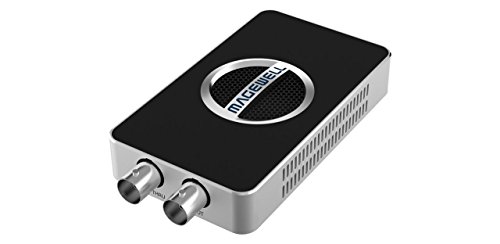
- Captures up to 4Kp30 from SD/HD/3G/2K/6G-SDI sources.
- Includes SDI loop-through for live monitoring.
- Driver-free support across Windows, macOS, Linux, and Chrome OS.
Best For: Broadcast teams needing pro-grade 4K SDI capture and monitoring
Portable Uncompressed SDI/HDMI

- Captures uncompressed YUY2 video up to 1080p60.
- Supports SDI/HDMI input with line-in audio.
- Driver-free compatibility with major OSes and streaming apps.
Best For: Portable live streaming and church or classroom production
Budget 3G-SDI Loop-Through

- Captures 3G-SDI video up to 1080p60.
- Includes SDI and HDMI loop-out monitoring.
- Driver-free support for Windows, Linux, Android, and Mac.
Best For: Budget studio capture with loop-out monitoring
Studio-Ready Uncompressed Capture
AVMATRIX UC2018 SDI/HDMI USB-C

- Uncompressed YUY2 capture up to 1080p60
- SDI and HDMI input with audio line-in
- Driver-free support for OBS, Zoom, Teams, and more
Best For: Studio operators who need clean 1080p60 capture with broad compatibility
Loopout Simplicity

- HDMI loopout for local monitoring
- Plug-and-play with no external power supply
- 1080p60 capture on Windows, Linux, and Mac
Best For: People who need easy SDI capture with HDMI loopout
Cross-Platform Live Capture
AVMATRIX UC2018 SDI/HDMI USB 3.0

- SDI/HDMI input with audio-in support
- Automatic signal detection and plug-and-play setup
- Uncompressed 1080p60 capture on major OS platforms
Best For: Broadcasters who want a simple 1080p SDI/HDMI capture device
USB Studio Capture – Magewell USB Capture SDI Gen 2
If you need an sdi capture card for broadcast studio work that plugs into a laptop or workstation without extra setup, this Magewell model is a straightforward choice. It captures SDI up to 1080p60, handles common video processing on-device, and is designed for wide OS compatibility in live or recorded production environments.
Best For: Portable broadcast, streaming, and field capture setups that need reliable USB-based SDI ingest.
Pros:
- Supports SDI input up to 2048×1080 at 60 fps for smooth capture up to 1080p60
- FPGA processing handles cropping, scaling, de-interlacing, color conversion, and flip/mirror on-device
- Works with Windows, macOS, Linux, and Chrome OS over USB 3.1 Gen 1
- Built for 24/7 operation with thermal protection, status LEDs, and a 3-year warranty
Cons:
- USB capture design is less ideal if you want an internal PCIe installation
- Limited to 1080p capture resolution in the supplied specs
This is a practical pick when you want a compact, dependable SDI capture device that stays simple to deploy. The onboard processing and broad software support make it well suited to broadcast studios that value flexibility and low-friction setup.
Internal PCIe Recorder – Blackmagic DeckLink Mini Recorder 4K
For a broadcast studio build that needs an internal sdi capture card, this Blackmagic Design option fits a fixed workstation or server better than a USB device. It supports 10-bit SD/HD/Ultra HD SDI input, adds HDMI input, and uses a low-profile PCIe design for integration into compatible systems.
Best For: Installed Linux or Windows capture systems that need SDI and HDMI input in a PCIe slot.
Pros:
- 10-bit SDI input with support for SD, HD, and Ultra HD capture
- Includes HDMI 2.0a input for mixed-format workflows
- Low-profile PCIe design suits compact or rack-mounted machines
- Works with Linux and Windows, with PCIe compatibility across multiple slot sizes
Cons:
- Requires a compatible PCIe system, so it is not a plug-and-play USB solution
- Only one SDI input is listed in the supplied specs
This card is a strong fit when your studio workflow centers on an internal capture path and you want a compact board for professional systems. It is especially relevant if you need SDI capture with HDMI support in a fixed installation.
Loop-Through USB Capture – Magewell USB Capture SDI Plus
If you want an sdi capture card for broadcast studio use that can monitor the signal while recording, this Magewell model adds useful flexibility. It accepts SD through 2K SDI, captures up to 120 fps, and includes loop-through plus analog audio options for more versatile production setups.
Best For: Studio operators who need USB SDI capture with external monitoring and flexible audio routing.
Pros:
- Accepts SD/HD/3G/2K SDI input up to 2048×1080 at 60 fps
- Captures up to 120 fps for smooth motion workflows
- Loop-through output lets you feed a monitor without interrupting capture
- Supports embedded SDI audio plus analog line in and line out
Cons:
- USB capture is less permanent than an internal PCIe install
- Listed capture resolution is 1080p in the supplied details
Compared with a basic USB capture unit, this one adds monitoring and audio routing features that are helpful in live broadcast settings. It is a good balance of simplicity and control for studios that need flexible signal handling.
Broadcast PCIe Card – Blackmagic Decklink SDI 4K
For a broadcast studio that needs a dedicated sdi capture card with capture and playback in one internal board, this Blackmagic Design model is built for more serious workstation use. It supports multi-rate SDI up to 6G-SDI, adds reference and deck-control features, and is aimed at editing, paint, design, and similar workflows.
Best For: Professional studio and post-production systems that need SDI capture, playback, and reference support.
Pros:
- Supports single-link SD, HD, 3G, and 6G-SDI signals
- Provides both SDI capture and playback in one PCIe card
- Includes RS-422 deck control, internal keying, and reference input
- Works with Mac, Windows, and Linux based workstations
Cons:
- Requires a PCI Express workstation, not a USB setup
- SDI-only design may not suit users who also need HDMI input
This is the most broadcast-oriented option in the group when capture/playback and studio sync features are priorities. It makes the most sense for permanent installs where SDI infrastructure and reference connectivity are already part of the workflow.
Premium 4K SDI Monitoring – Magewell USB Capture SDI 4K Plus
If you need an sdi capture card for broadcast studio work, this Magewell model is built for professional workflows that demand reliable 6G-SDI ingest, clean loop-through monitoring, and broad OS support. It captures up to 4Kp30 while also handling embedded audio and external analog line input, making it a strong fit for live production where signal integrity matters.
Best For: Broadcast teams and studio operators who want 4K SDI capture with loop-through monitoring and flexible audio I/O.
Pros:
- Captures SD/HD/3G/2K/6G-SDI signals up to 4Kp30 or 1080p90.
- Built-in SDI loop-through supports simultaneous monitoring and capture.
- Onboard FPGA handles de-interlacing, scaling, color conversion, and image flip/mirror.
- Works driver-free with Windows, macOS, Linux, and Chrome OS.
Cons:
- USB 3.1 Type A interface may not match every newer workstation setup.
- Higher-end feature set may be more than casual users need.
This is the most studio-oriented option in the group, especially if you value advanced signal processing and dependable 24/7 operation. The tradeoff is that its feature depth is aimed at serious production use rather than simple plug-in-and-go recording.
Portable Uncompressed SDI/HDMI – AVMATRIX UC2018-K
For a compact sdi capture card for broadcast studio or remote streaming setups, the AVMATRIX UC2018-K focuses on simple uncompressed capture up to 1080p60. It accepts SDI or HDMI input, adds line-in audio support, and connects over USB 3.0 for a straightforward workflow with common streaming and conferencing apps.
Best For: Churches, educators, and small production teams that want a portable, driver-free 1080p60 capture device.
Pros:
- Captures uncompressed YUY2 video up to 1080p60.
- Supports both SDI/HDMI input plus line-in audio.
- Driver-free and compatible with Windows, Linux, and macOS.
- Compact, lightweight design for easy transport.
Cons:
- Top resolution is limited to 1080p60, not 4K.
- Uses USB 3.1 Gen 1 Type-C output, so cable/port planning matters.
This is a practical pick when you want stable, low-latency capture without extra drivers or complex setup. It is less feature-rich than premium studio hardware, but its portability and wide app support make it very workable for live events and conferencing.
Budget 3G-SDI Loop-Through – ATCCPYDM S2U-2
If you need an sdi capture card for broadcast studio use on a tighter budget, this 3G-SDI option covers the essentials with 1080p60 capture, HDMI support, and loop-out monitoring. It is driver free and works across Windows, Linux, Android, and Mac, which makes it an easy fit for basic production, recording, or live-streaming setups.
Best For: Budget-conscious users who need 1080p60 SDI capture with loop-out and simple setup.
Pros:
- Supports 3G-SDI input with up to 1080p60 capture.
- Includes SDI and HDMI loop-out for monitoring.
- Driver-free UVC/UAC design works across multiple operating systems.
- Microphone audio mixing adds flexibility for basic productions.
Cons:
- Maximum resolution is limited to 1080p, not 4K.
- Less advanced than higher-end studio capture devices.
This model is a sensible entry-level choice when loop-through monitoring and cross-platform compatibility matter more than advanced processing or high resolution. It gives you the core studio capture features without adding complexity.
Studio-Ready Uncompressed Capture – AVMATRIX UC2018 SDI/HDMI USB-C
If you need an sdi capture card for broadcast studio workflows, the AVMATRIX UC2018 is built around uncompressed 1080p60 capture with SDI and HDMI inputs, plus audio line-in support. It’s a practical fit for live production, streaming, and recording when you want a driver-free device that works with common software across Windows, macOS, and Linux.
Best For: Studio operators, educators, and live streamers who want uncompressed SDI/HDMI capture with broad software compatibility.
Pros:
- Uncompressed YUY2 video and audio capture up to 1080p60
- Automatic input signal detection with UVC/UAC compliance
- USB 3.0 Type-C output for fast, low-delay workflows
- Compatible with OBS Studio, Zoom, Teams, Google Meet, and more
Cons:
- No mention of 4K capture support
- Limited to the listed 1080p60 maximum output
- Audio features are basic rather than studio-mixer focused
This is the strongest pick in the group if your priority is clean uncompressed capture and straightforward integration into a broadcast-style setup. Its combination of SDI/HDMI inputs, plug-and-play operation, and stable cross-platform support makes it easy to drop into an existing studio chain.
Loopout Simplicity – Groza SDI USB 3.0 Capture Box
The Groza unit is a straightforward sdi capture card for broadcast studio and recording setups, especially if you want HDMI loopout alongside SDI-to-USB 3.0 capture. It supports 1080p60 video, works as a plug-and-play device, and is designed to show up automatically as a webcam for fast setup on Windows, Linux, and Mac OS.
Best For: Users who want a simple SDI capture box with HDMI loopout for monitoring or passthrough.
Pros:
- HDMI loopout is included for local monitoring
- Plug-and-play operation with no external power supply required
- Supports 1080p60 capture and multiple frame rates
- Compatible with Windows, Linux, and Mac OS
Cons:
- Product details emphasize recording more than advanced studio features
- USB output resolution options are listed, but not uncompressed capture
- Best suited to standard 1080p workflows rather than higher-resolution production
For users who value convenience and monitoring flexibility, this model’s HDMI loopout is the standout feature. It’s a solid choice when you need a no-fuss capture device that can fit into a basic broadcast or streaming chain without extra setup.
Cross-Platform Live Capture – AVMATRIX UC2018 SDI/HDMI USB 3.0
This version of the UC2018 is a practical sdi capture card for broadcast studio and live streaming use, with SDI/HDMI inputs, audio-in support, and automatic input signal detection. It captures up to 1080p60, uses a power-free plug-and-play design, and is built for quick integration with Windows, Linux, and macOS systems.
Best For: Broadcasters and streamers who want a simple, cross-platform SDI/HDMI capture device for 1080p production.
Pros:
- SDI/HDMI input with audio-in and automatic signal detection
- Uncompressed video and audio capture up to 1080p60
- Plug-and-play operation with no driver installation needed
- Works across Windows, Linux, and macOS
Cons:
- No 4K capture specification is provided
- Warranty is listed as 1 year
- Package contents are basic, with just the card and USB cable
If your studio workflow depends on reliable 1080p capture rather than extra bells and whistles, this model keeps things simple. It’s especially appealing for users who want automatic signal detection and broad operating-system support without adding driver overhead.
How We Picked the Best Sdi Capture Card for Broadcast Studio
For an Sdi Capture Card for Broadcast Studio, we prioritized stable SDI input handling, consistent frame-rate support, operating system compatibility, and practical features like loop-through, analog audio I/O, and external versus internal installation options. We also considered whether each model makes sense for live production, ingest, monitoring, or streaming.
Quick Comparison
USB capture cards are usually the easiest to deploy and move between machines, making them a strong fit for portable kits, backup workflows, and small control rooms. PCIe cards are better when you want lower overhead, tighter integration, and a more permanent broadcast workstation setup. Features such as 1080p60 support, 4K capability, and loop-through matter most if you need simultaneous monitoring and recording.
Key Buying Factors for Sdi Capture Card for Broadcast Studio
Signal Format and Resolution
Match the card to your cameras, switchers, and delivery targets. If your studio is still centered on HD workflows, 1080p60 support is often enough. If you handle newer sources or want more future-proofing, look for 4K or higher-bitrate SDI support.
USB Vs PCIe
USB models are flexible and simple, especially for laptops or temporary setups. PCIe cards are the better choice for dedicated editing or ingest machines where you want a more direct hardware connection and less cable clutter.
Loop-Through and Audio I/O
Loop-through is useful when one SDI source needs to feed both a monitor and a recording system. Analog line I/O can also help when your audio workflow is not fully embedded.
Driver and Software Support
Broadcast environments need predictable compatibility. Check support for your OS, production software, and switching or recording tools before buying.
Who Should Buy Which Sdi Capture Card for Broadcast Studio?
Choose a USB model if you need portability, fast setup, or a straightforward streaming workflow. Choose a PCIe model if you are building a fixed studio workstation and want more integrated performance. If your priority is live monitoring plus capture, favor cards with loop-through and robust audio options. For more future-proof broadcast use, select a card that supports the highest input quality your cameras and infrastructure can deliver.